
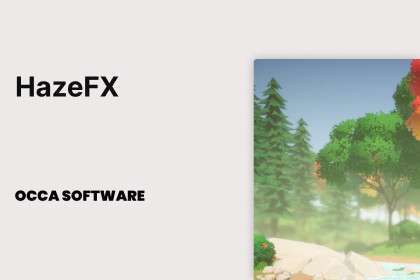



HazeFX Unity: Optimizing URP Atmospheric Effects
When working on URP projects, integrating HazeFX Unity at version 0.5.2 significantly streamlines the process of adding performant atmospheric effects. This asset is purpose-built for the Universal Render Pipeline, providing high-quality heat distortion, fast blur, and configurable fog with minimal overhead. For developers targeting rich environmental visuals without sacrificing framerate, HazeFX offers a highly optimized and easy-to-implement solution.
Integration Tips
- URP Specific Implementation: HazeFX is designed exclusively for URP (2021.3 LTS, 2022.3 LTS, Unity 6). Ensure your project is set up with URP, as it utilizes URP’s Renderer Features and Volume components. There is no Built-In or HDRP compatibility, so plan accordingly.
- Adding as a Renderer Feature: To integrate, create a new `Renderer Feature` in your URP Renderer asset and add the HazeFX feature. Its position in the Renderer Feature list is crucial. For distortion effects like heat haze, placing it `After Opaque` or `Before Post-processing` often yields the best results, preventing it from interfering with or being overwritten by other post-processing effects.
- Volume Component for Control: All HazeFX parameters are exposed through a `Volume Component`. This means you can create multiple Volume Profiles and blend between them using global or local volumes, allowing for dynamic changes to haze, blur, and fog based on player location or scene state. This is ideal for managing environment transitions or specific gameplay zones.
- Pairing with Volumetric Solutions: The asset description suggests pairing with tools like Buto Volumetric Fog. This is a sound strategy. HazeFX excels at screen-space heat distortion, fast depth-based blur, and distance-based height fog. A dedicated volumetric fog solution (like Buto) handles world-space volumetric light scattering, offering a more complete atmospheric simulation when combined. Ensure their render order complements each other, typically with HazeFX applying its screen-space effects after the volumetric pass.
- Performance Considerations: The stated 0.1ms benchmark is impressive, but actual performance will vary based on scene complexity, target platform, and specific parameter settings. Always profile on target hardware. The `Fast Blur` in particular is optimized for depth-of-field, so use it judiciously rather than for full-screen un-optimized blurs.
Best Use Cases
-
Open-World & Large Environment Games: For titles featuring expansive landscapes like deserts, plains, or industrial zones where atmospheric depth and environmental realism are key. HazeFX’s optimized heat distortion provides convincing mirage effects over hot surfaces, while its height fog and dynamic contrast features seamlessly blend distant geometry, significantly enhancing the sense of scale and realism without incurring a heavy performance penalty, critical for maintaining high frame rates in large, streaming worlds.
-
Survival & Horror Games with Environmental Hazards: For genres where environmental conditions play a crucial role in player experience and gameplay mechanics. The heat distortion can signify extreme temperatures or toxic gas, while the fast blur can be leveraged for status effects like disorientation, injury, or hallucination. These visual cues can be dynamically triggered via the volume system, providing immediate and immersive feedback to the player about their environment or character state.