
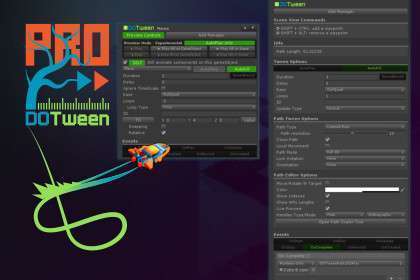
Technical Overview
For any production-grade project, DOTween Pro Unity is the industry standard for programmatic and visual animation. Version builds upon the core engine by adding a powerful Visual Animation Editor and Path Editor. From a lead dev perspective, the primary value here isn’t just ‘movement,’ but the efficient management of Tweener objects to avoid Garbage Collection (GC) spikes. Its type-safe API and extension methods for transforms, materials, and UI elements make it significantly more performant than Unity’s native Animator for non-skeletal movements.
Integration Tips
Upon importing, always run the DOTween Setup utility to ensure the assembly definitions (asmdef) are correctly generated for your project’s environment, especially if you are using TextMesh Pro or external UI frameworks. If you are upgrading from an older version, a clean restart of the Unity Editor is mandatory to clear static references. For projects using object pooling, utilize the Visual Editor Manager component to automatically kill or recycle tweens when an object is returned to the pool, preventing ‘ghost’ animations on reused prefabs.
Best Use Cases
- UI-Heavy Applications: Managing complex UI transitions via the Animator controller creates massive overhead; DOTween Pro allows for lightweight, code-driven UI sequencing that is far easier to debug and tweak at runtime.
- Narrative & Cinematic Sequences: The Visual Path Editor supports Catmull-Rom splines, making it the go-to choice for smooth camera movements or object tracking in cutscenes without writing custom spline math.