
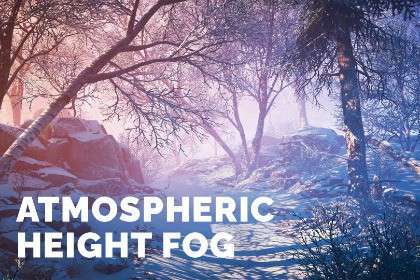
Expert Overview of Atmospheric Height Fog
In our recent production cycles, Atmospheric Height Fog Unity has proven to be an essential tool for achieving a volumetric aesthetic without the massive GPU overhead typically associated with HDRP’s native volumetric lighting. Running on , this asset utilizes a depth-based approach that is exceptionally performant for mobile and VR. Because it’s built on the Amplify Shader Editor framework, we can easily inject the fog functions into our custom transparent shaders, solving the age-old problem of transparent objects appearing ‘un-fogged’ in a scene.
Integration Tips
- Depth Texture Requirement: Ensure your camera is explicitly set to generate a depth texture. In URP, this is a toggle on the Universal Render Pipeline Asset; without it, the fog will simply fail to render.
- MSAA Conflicts: Be aware that MSAA can cause jagged edges at the intersection of geometry and fog since the depth texture is sampled at a different resolution. For high-fidelity projects, consider using SMAA or TAA post-processing instead.
- Transparent Shader Injection: To fix transparency sorting issues, you must use the provided
ApplyHeightFogfunction within your Shader Graph or Amplify graphs. This manually calculates the fog factor based on the world position of the vertex and applies it to the final fragment color.
Best Use Cases
- Mobile and Standalone VR (Meta Quest): Since this isn’t a true volumetric solution, it doesn’t rely on expensive ray-marching. It provides the visual depth needed for immersion without tanking the frame rate on tile-based deferred rendering architectures.
- Stylized Open-World Adventures: The dual-color interpolation and 3D noise support allow for artistic, non-photorealistic atmospheres that are easier to control than standard Unity global fog, particularly when transitions between biomes are required via Volume blending.