
Technical Overview
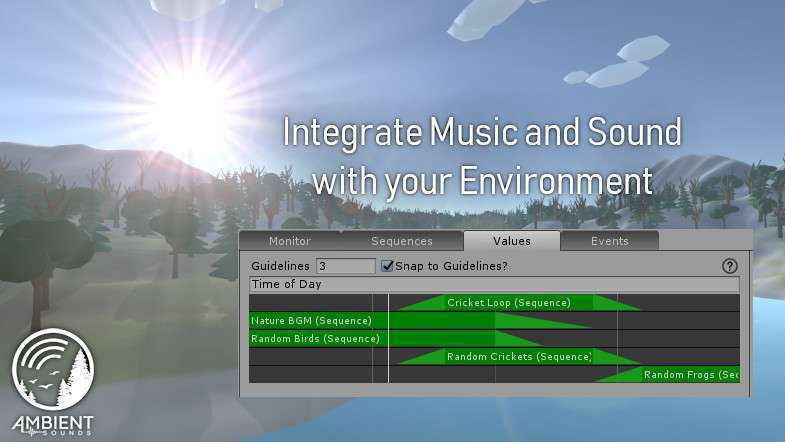
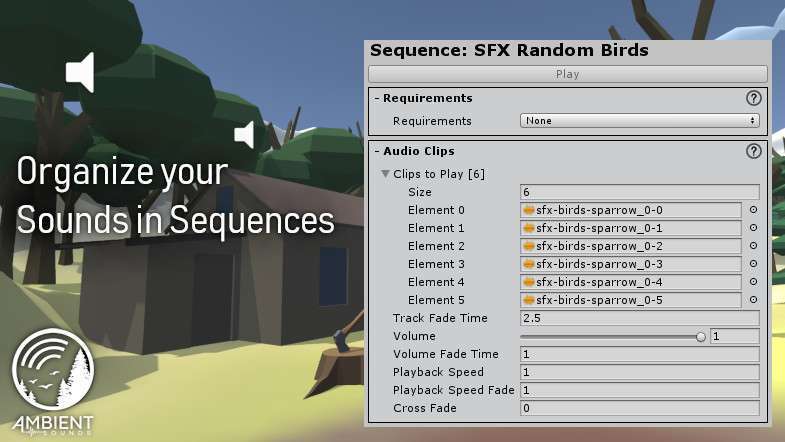
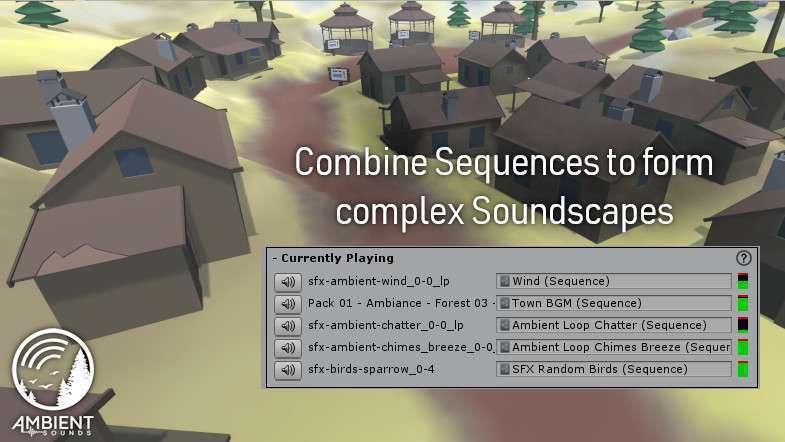
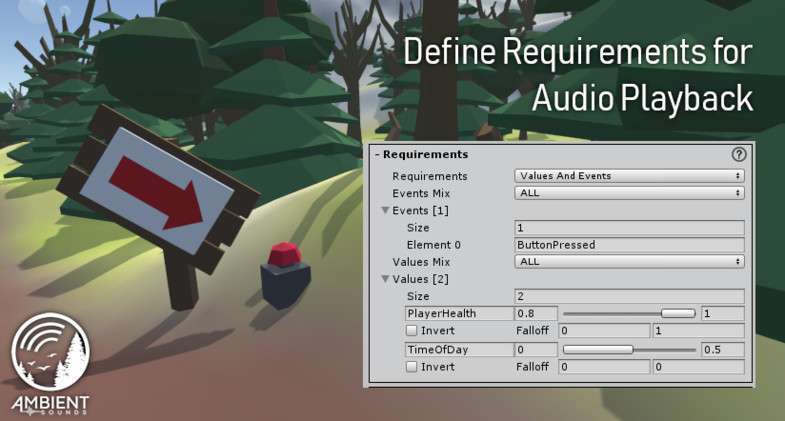
Ambient Sounds – Interactive Soundscapes for Unity 6 Unity provides a sophisticated ‘Sequences’ system that replaces static AudioSource components with a dynamic, logic-driven engine. Version 1.2.5 introduces a robust Requirement system, allowing soundscapes to evolve based on game state variables (like time of day or player health) without writing custom C# boilerplate. The inclusion of a Monitor window is a massive debugging win, showing exactly which audio layers are active and their current volume weights.
Integration Tips
- Requirement Logic: Instead of calling `Play()` in code, define Requirements in the Ambient Sounds Manager. For example, set a ‘Rain’ parameter to true in your weather script, and the system will automatically crossfade the rain sequence into the mix based on your defined curve.
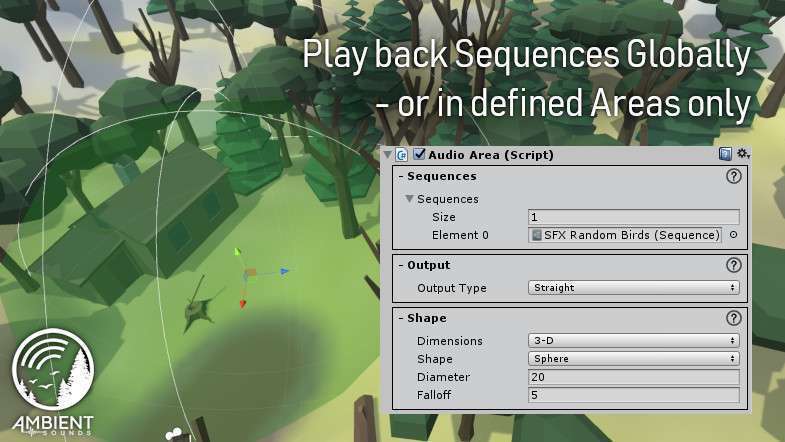
- Global vs. Local: Use Global sequences for background music and Local areas (using Trigger colliders) for environmental positional audio like waterfalls or machinery. The system handles the spatial blending automatically.
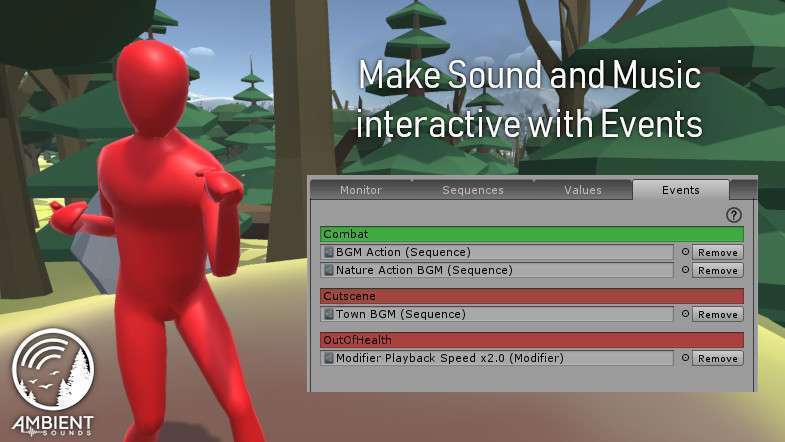
- Audio Ducking: Leverage the event system to ‘duck’ music sequences when dialogue audio plays. This is handled via the Sequence modifiers, preventing the need for complex Mixer-based sidechaining for every minor event.
Best Use Cases
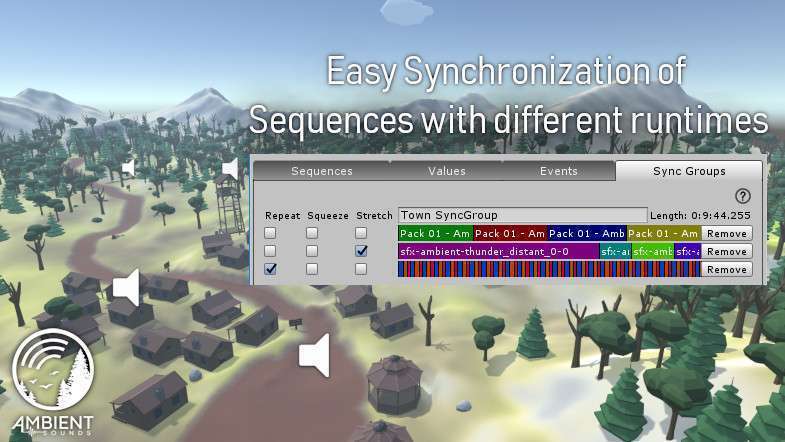
- Dynamic RPGs: Use the synchronization feature to ensure that as the player moves from a peaceful village to a combat zone, the musical tracks transition perfectly on the beat.
- Atmospheric Exploration Games: The ability to randomise sound placement around the player creates a ‘living’ environment where birds or distant wind gusts never sound repetitive.